One-click join links
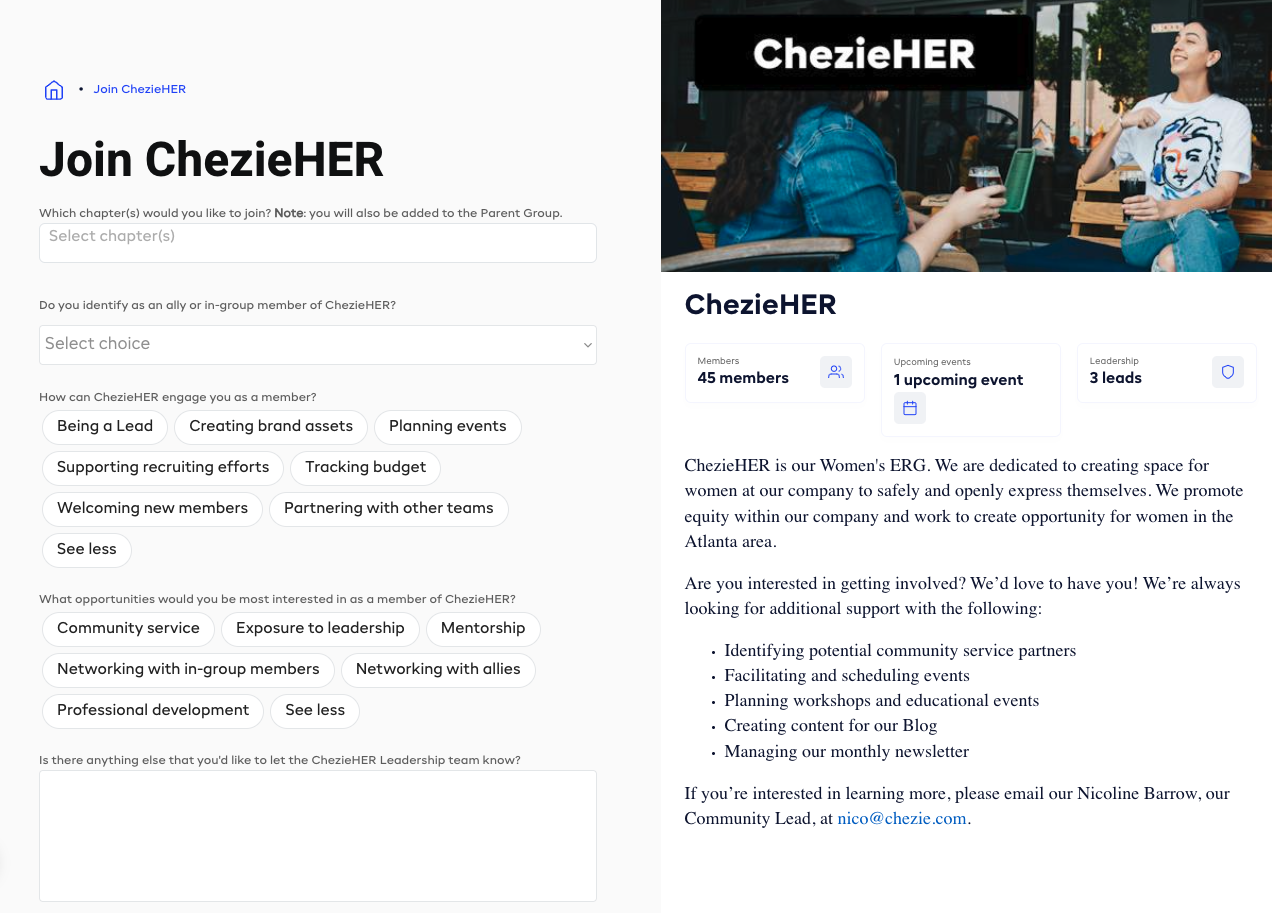
The key to growing your ERG membership is to make it as easy as possible for people to join. That's why we're excited to introduce a new feature that simplifies the process: one-click join links!
🔗 What's New?
With one-click join links, we've removed the barriers to joining ERGs, making it easier than ever for employees to self-identify as members and participate in ERG events. Employees simply click the link, and you'll be taken to a join page for the ERG they're interested in. The process takes 10 seconds end-to-end.
✨ Why it Matters:
Removed barriers: These links can be used as QR codes for people to scan on their phones or embedded on your company's intranet so new employees can get to the group they want to get to asap.
Enhanced Adoption: ERG and DEI program managers can celebrate increased Chezie adoption, as employees find it easier to participate in ERGs.
How to get a One-Click Join Links:
From member view, click the copy link icon on the group you're looking for.
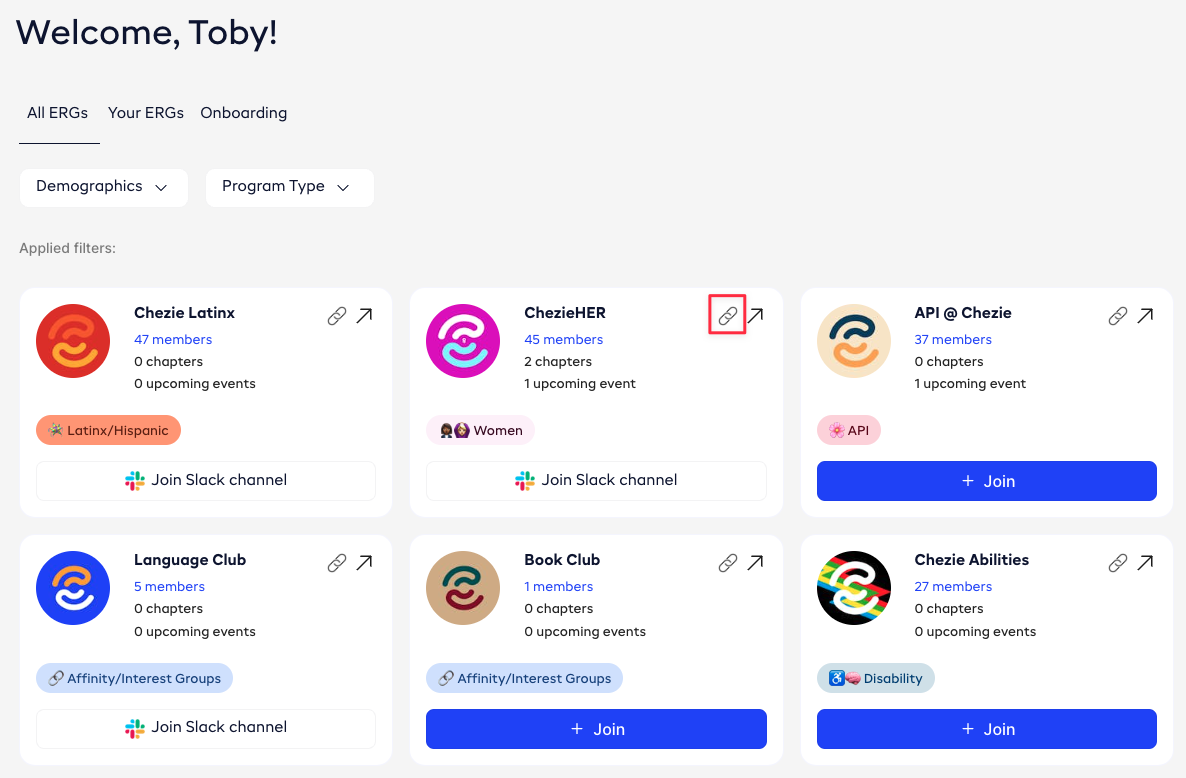
Share these links wherever you like, such as in new hire onboarding presentations, intranet pages, Slack/Teams channels, and more.
That's it! Like we said, it's simple.
Ways to use this
Here are some suggestions on where to post your one-click links
In your company intranet - if you have an intranet where your ERGs are listed, include the links as hyperlinks on that page.
As a pinned Slack/Teams post - Pin the join link to your Slack or Teams channel so members see it as soon as they join the Slack channel (assuming they didn't join in Chezie first 😏)
In new employee onboarding - as you go through your ERGs during onboarding, include QR codes for each group on the slide so employees can join their selected group directly from their phone.
In the office on flyers - if you have an in-office presence, print out flyers for different ERGs and include a QR code version of the link so people walking by them can scan them from their phones as they walk around the office.