Members Can Now Edit Their Join Form Responses ✍️
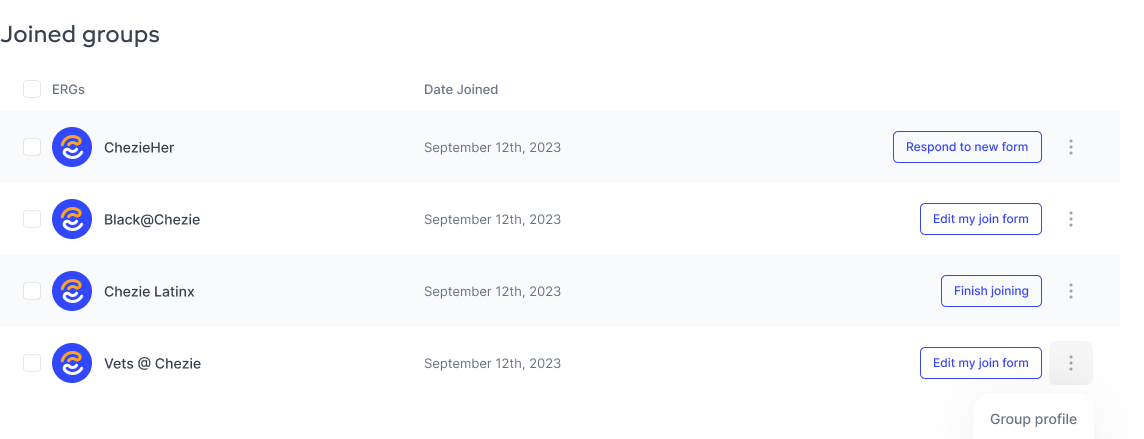
You can now edit your join form responses at any time—no need to leave and rejoin a group just to update your info.
Why This Matters
Whether your interests have changed, your availability has shifted, or your group has updated their form, you now have full control to keep your profile up to date. This ensures more accurate data for your group leaders and a better experience for everyone.
How to Access Your Join Forms
Go to the Member View
Click My Profile in the navigation bar
Scroll down to the "Joined Groups" section
Click "Edit My Join Form" to update your original responses
If your group has released a new version of the form, you’ll also see a “Respond to New Form” button
Any updates you make will automatically overwrite your previous responses and reflect in your member profile.
This update gives members more control, reduces admin overhead, and helps keep group data fresh and actionable. ✅